
Classified listing quality
Listing quality for classifieds.
Check each listing before it reaches search and browse.
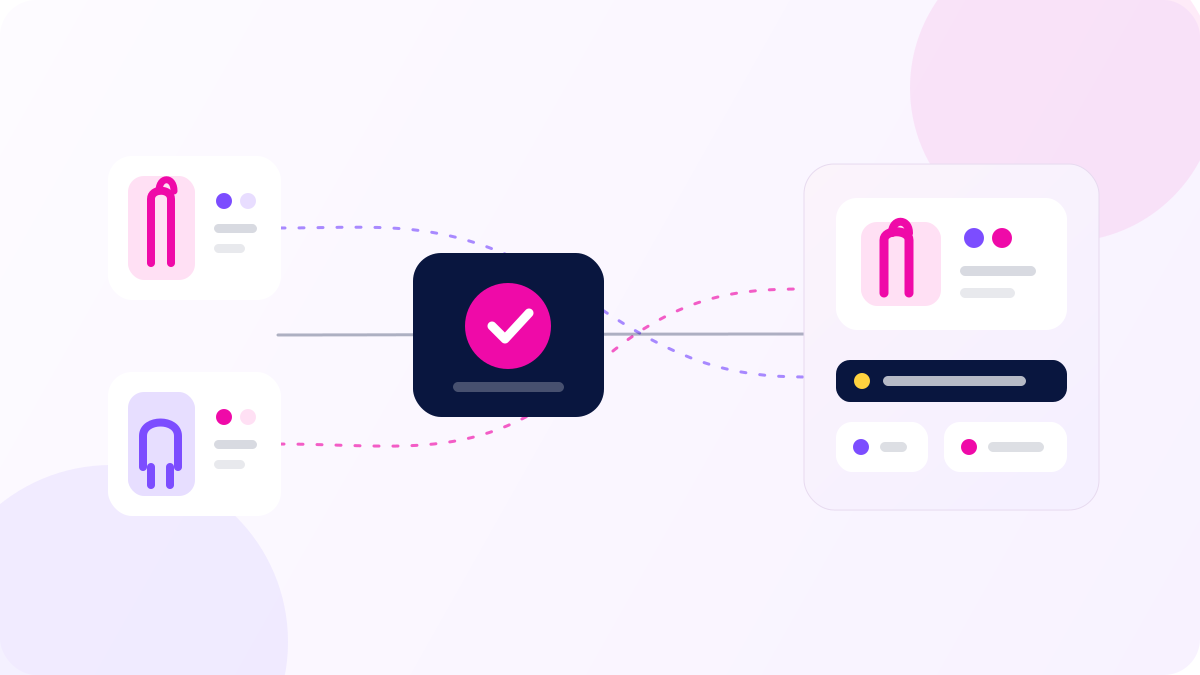
Customer journey
From new listing to clear decision.
A seller creates a listing. Youzu checks the content and keeps the reason with the decision.
Step 1
Read the title and images.
Step 2
Build the product record.
Step 3
Check policy and duplicates.
Step 4
Send unclear listings to a reviewer.
Product video
Listing quality demo
See product records that support listing checks and review.
Step 2
Review the reason.
See why a listing needs a decision before it reaches shoppers.
'/%3e%3ccircle%20cx='102'%20cy='105'%20r='162'%20fill='%23FFD23F'%20fill-opacity='.11'/%3e%3ccircle%20cx='1124'%20cy='605'%20r='180'%20fill='%23EF0AA8'%20fill-opacity='.08'/%3e%3cpath%20d='M256%20234H420C480%20234%20505%20278%20563%20315H640'%20stroke='%2309163F'%20stroke-width='4'%20stroke-linecap='round'/%3e%3cpath%20d='M256%20338H432C485%20338%20509%20336%20563%20336H640'%20stroke='%237C4DFF'%20stroke-width='4'%20stroke-linecap='round'%20stroke-dasharray='5%2014'/%3e%3cpath%20d='M256%20442H420C480%20442%20505%20394%20563%20357H640'%20stroke='%23EF0AA8'%20stroke-width='4'%20stroke-linecap='round'%20stroke-dasharray='5%2014'/%3e%3cpath%20d='M700%20336H798C849%20336%20872%20248%20938%20248H1030'%20stroke='%237C4DFF'%20stroke-width='5'%20stroke-linecap='round'/%3e%3cpath%20d='M700%20336H798C849%20336%20872%20438%20938%20438H1030'%20stroke='%23EF0AA8'%20stroke-width='5'%20stroke-linecap='round'/%3e%3cg%20filter='url(%23shadow)'%3e%3crect%20x='84'%20y='178'%20width='172'%20height='112'%20rx='22'%20fill='white'/%3e%3crect%20x='105'%20y='198'%20width='57'%20height='72'%20rx='15'%20fill='%23FFE0F4'/%3e%3cpath%20d='M119%20259V218C119%20207%20143%20207%20143%20218V259'%20stroke='%23EF0AA8'%20stroke-width='8'%20stroke-linecap='round'/%3e%3ccircle%20cx='198'%20cy='216'%20r='8'%20fill='%237C4DFF'/%3e%3crect%20x='184'%20y='238'%20width='45'%20height='9'%20rx='4.5'%20fill='%2309163F'%20fill-opacity='.13'/%3e%3c/g%3e%3cg%20filter='url(%23shadow)'%3e%3crect%20x='84'%20y='282'%20width='172'%20height='112'%20rx='22'%20fill='white'/%3e%3crect%20x='105'%20y='302'%20width='57'%20height='72'%20rx='15'%20fill='%23E6DDFF'/%3e%3cpath%20d='M119%20359V329C119%20312%20150%20312%20150%20329V359'%20stroke='%237C4DFF'%20stroke-width='8'%20stroke-linecap='round'/%3e%3cpath%20d='M126%20359V372M144%20359V372'%20stroke='%237C4DFF'%20stroke-width='8'%20stroke-linecap='round'/%3e%3ccircle%20cx='198'%20cy='320'%20r='8'%20fill='%23EF0AA8'/%3e%3crect%20x='184'%20y='342'%20width='45'%20height='9'%20rx='4.5'%20fill='%2309163F'%20fill-opacity='.13'/%3e%3c/g%3e%3cg%20filter='url(%23shadow)'%3e%3crect%20x='84'%20y='386'%20width='172'%20height='112'%20rx='22'%20fill='white'/%3e%3crect%20x='105'%20y='406'%20width='57'%20height='72'%20rx='15'%20fill='%23FFF1CE'/%3e%3cpath%20d='M116%20458H151V429C151%20417%20116%20417%20116%20429V458Z'%20stroke='%23D59C00'%20stroke-width='8'%20stroke-linejoin='round'/%3e%3ccircle%20cx='198'%20cy='424'%20r='8'%20fill='%237C4DFF'/%3e%3crect%20x='184'%20y='446'%20width='45'%20height='9'%20rx='4.5'%20fill='%2309163F'%20fill-opacity='.13'/%3e%3c/g%3e%3cg%20filter='url(%23shadow)'%3e%3crect%20x='640'%20y='258'%20width='60'%20height='156'%20rx='25'%20fill='%2309163F'/%3e%3cpath%20d='M659%20336L670%20347L684%20321'%20stroke='white'%20stroke-width='7'%20stroke-linecap='round'%20stroke-linejoin='round'/%3e%3c/g%3e%3cg%20filter='url(%23shadow)'%3e%3crect%20x='1030'%20y='176'%20width='120'%20height='144'%20rx='24'%20fill='white'/%3e%3ccircle%20cx='1090'%20cy='227'%20r='31'%20fill='%23E7DEFF'/%3e%3cpath%20d='M1078%20227L1087%20236L1104%20217'%20stroke='%237C4DFF'%20stroke-width='7'%20stroke-linecap='round'%20stroke-linejoin='round'/%3e%3crect%20x='1058'%20y='276'%20width='64'%20height='9'%20rx='4.5'%20fill='%2309163F'%20fill-opacity='.14'/%3e%3c/g%3e%3cg%20filter='url(%23shadow)'%3e%3crect%20x='1002'%20y='366'%20width='148'%20height='156'%20rx='26'%20fill='%2309163F'/%3e%3crect%20x='1024'%20y='388'%20width='104'%20height='58'%20rx='15'%20fill='%23FFE0F4'/%3e%3cpath%20d='M1060%20498C1060%20478%201094%20478%201094%20498'%20stroke='%23EF0AA8'%20stroke-width='11'%20stroke-linecap='round'/%3e%3cpath%20d='M1077%20449V499'%20stroke='%23EF0AA8'%20stroke-width='9'%20stroke-linecap='round'/%3e%3ccircle%20cx='1096'%20cy='475'%20r='9'%20fill='%23FFD23F'/%3e%3c/g%3e%3c/svg%3e)
Uncertain listings follow an evidence-led review route
Run a catalogue benchmarkResources
See the supporting product story.
Start with your criteria
Bring the difficult records and the workflow your team needs to govern.
We can scope a representative evaluation around the records, policy decisions, or visual journey that matter to your operation.
Talk to a solution specialist