
Listing quality, checked before search.
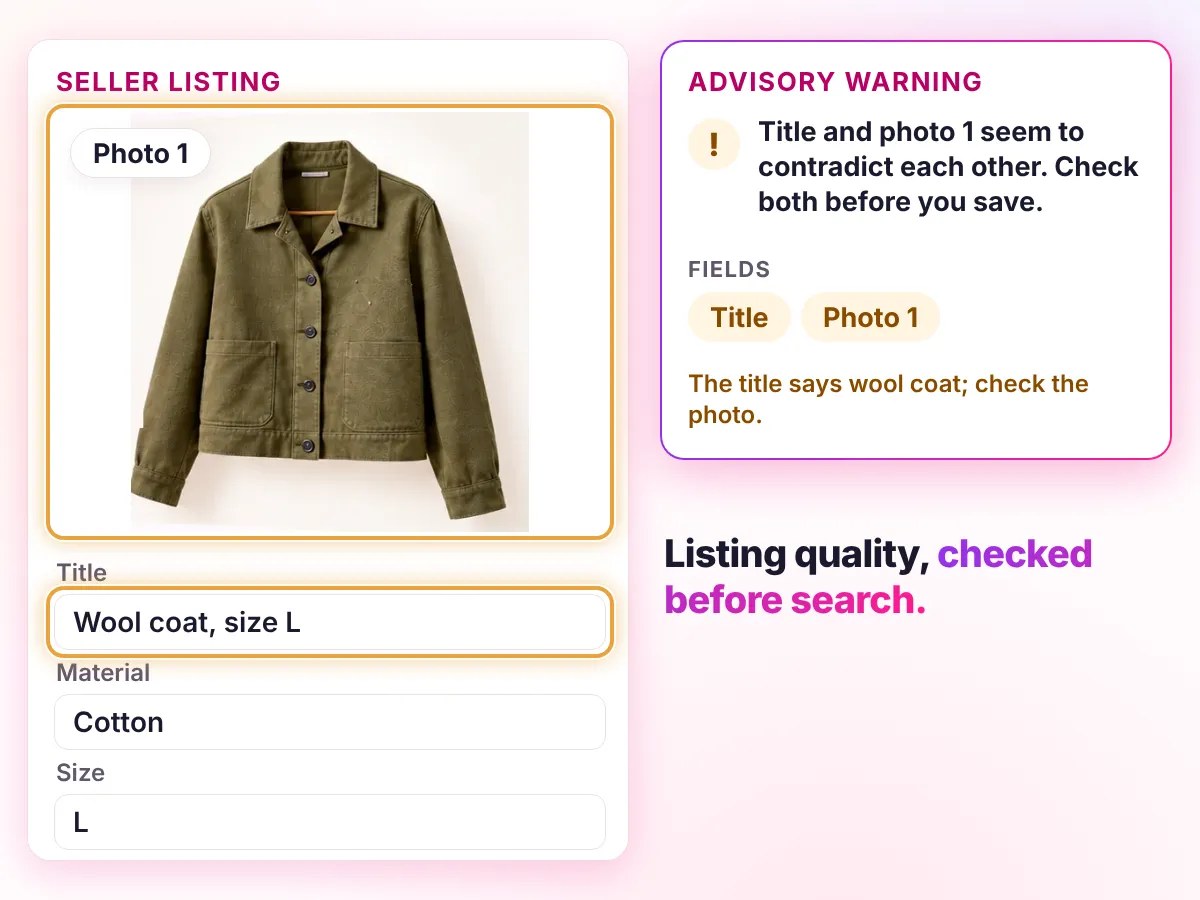
Youzu's advisory mismatch warnings name the fields when title, brand and image seem to contradict each other; unsupported values stay empty. Listing quality means a listing is complete, consistent and within your policies before it reaches search, so gaps stay visible and the moderation rules you define apply.
Key points
- See what is missing in a listing, by category.
- Keep unsupported attributes empty so gaps stay visible.
- Flag a title, brand and image that seem to contradict each other.
- Use the moderation rules you define to check listings.
Try it
Spot the mismatch.
Something in this listing does not add up. Tap what looks off.
- Original information
- Suggested details
Decisions
How a decision is made
- Inputs
- The listing's text, photos and attributes, your category's attribute definitions and your moderation rules.
- Signals
- Which attributes the category defines and the evidence supports; whether title, brand and image agree; whether a rule has a finding.
- Review
- Gaps stay visible as empty fields, contradictions raise advisory warnings, and rule findings wait in the review queue.
- Output
- Findings and prepared records are available through the API; in a seller flow they are advisory and your application decides.
- Original record
- Youzu keeps the seller's original record beside the enriched result so changes can be reviewed.
Your rules, your reviewers, your approval.
Details a Jackets listing needs
| Detail | Status | Why |
|---|---|---|
| Product type | Filled | Suggested from your category |
| Color | Filled | Suggested from the photo |
| Material | Left empty | The source does not show this: the title says wool, the label says cotton. |
| Closure | Filled | Suggested from the photo |
| Fit | Left empty | Not visible in the photo. |
| Size | Needs more information | Ask the seller. |
Help sellers prepare better listings
The listing form stands for your own system.
Transcript
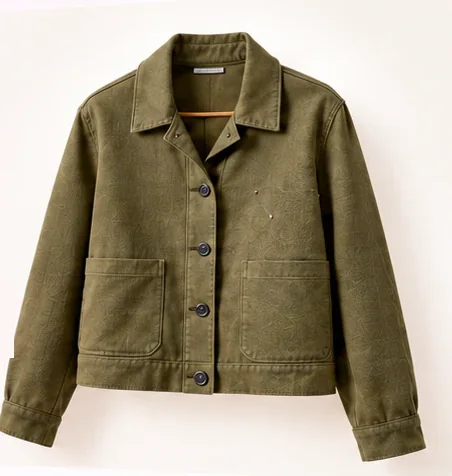
- Help sellers prepare better listings. (Visual: Under a Seller listing assistant eyebrow, a plain listing form opens with a large photo of an olive jacket and a Your draft chip.)
- Start with a photo and a few facts. (Visual: Under the Your draft chip, 3 short facts sit as chips, jkt, olive and cotton; a ring marks the photo, then each fact chip in turn, and the form tidies into a compact row.)
- Get suggested categories, in order. In the order Youzu returns them. (Visual: A Suggestions card lists Fashion > Jackets, Fashion > Coats and Fashion > Vests from top to bottom, with no scores or rank labels; the details area reads Needs more information until a ribbon runs from the photo to the first row and Fashion > Jackets is selected.)
- Fill the details that category needs. (Visual: The fields that category needs fill one at a time, Color: Olive, Material: Cotton and Closure: Buttons, and the matching fact chip is ringed; while Closure fills, the photo is ringed and the cue reads From the photo.)
- Review and edit the draft. (Visual: The card becomes a Listing preview with the editable title Olive cotton jacket with buttons and 2 actions, Use suggestion and Edit.)
- Your system saves and publishes. Youzu returns suggestions. (Visual: A person presses Use suggestion and the suggested title becomes the draft title; the closing lines say who does what.)
- See it with your catalog. Book a demo. (Visual: End card: a white card with a short gradient rule, the line, a Book a demo button and the Youzu logo.)
Documentation
Questions buyers ask
Listing quality means a listing is complete, consistent and within your policies before it reaches search. Youzu shows which details a listing is missing, warns in the seller flow when title, brand and image seem to contradict each other, and applies the moderation rules you define, so problems can be fixed before shoppers meet them. Try the example above.
Youzu checks which attributes your category defines and the evidence supports, whether the title, brand and image agree, image findings with a severity and reasons, and the moderation rules you define. A completed check is not a pass verdict, and each finding names its fields or its rule. Bring your listing rules and a sample to see them applied.
A detail is missing when your category defines an attribute and neither the text nor the photos support a value. Youzu leaves that field empty instead of guessing, so the gap is visible and the seller can be asked for it. Which attributes a category needs is set by your category definitions. The enrichment page shows the same rule at work.
In a seller flow the Merchant API can return suggestions and advisory warnings while the seller is still editing, and your application decides what to show or apply. In a catalog workflow, moderation findings wait in a review queue. Speed depends on the product and its images, so Youzu tests latency on your listing flow before you commit.
The checks work on text, photos and attributes, which classifieds listings also carry. Bring a sample of your listings and Youzu tests the checks against your categories and your rules before you decide anything. Your team keeps every decision about what is published.