
Catalog Intelligence
Demo: help sellers prepare better listings
This 18-second demo walks through the Youzu Merchant API flow: a seller adds a photo and a few facts, sees category suggestions, fills category-specific attributes and reviews an editable draft.
The listing form stands for your own system.
Transcript
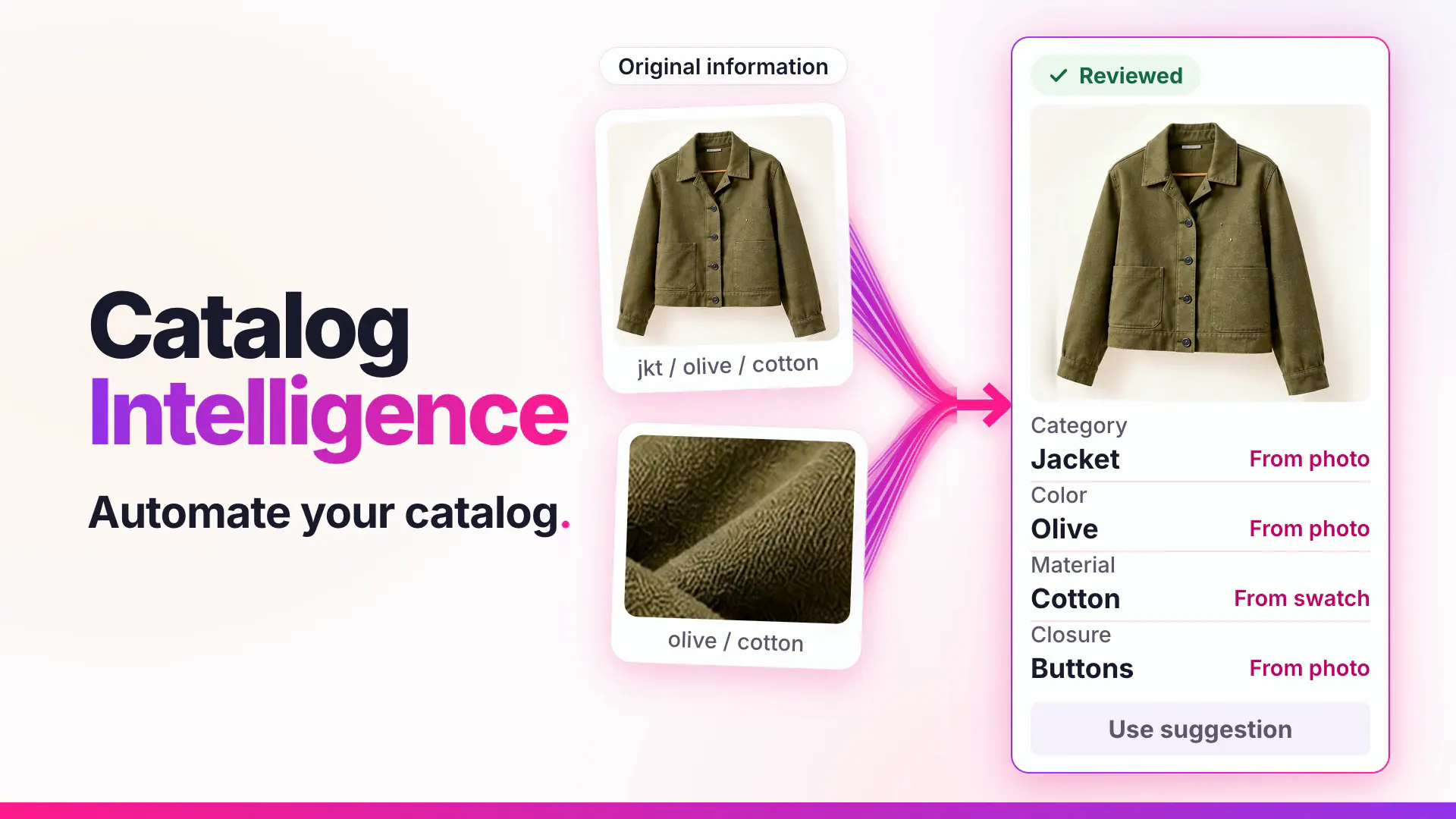
- Help sellers prepare better listings. (Visual: Under a Seller listing assistant eyebrow, a plain listing form opens with a large photo of an olive jacket and a Your draft chip.)
- Start with a photo and a few facts. (Visual: Under the Your draft chip, 3 short facts sit as chips, jkt, olive and cotton; a ring marks the photo, then each fact chip in turn, and the form tidies into a compact row.)
- Get suggested categories, in order. In the order Youzu returns them. (Visual: A Suggestions card lists Fashion > Jackets, Fashion > Coats and Fashion > Vests from top to bottom, with no scores or rank labels; the details area reads Needs more information until a ribbon runs from the photo to the first row and Fashion > Jackets is selected.)
- Fill the details that category needs. (Visual: The fields that category needs fill one at a time, Color: Olive, Material: Cotton and Closure: Buttons, and the matching fact chip is ringed; while Closure fills, the photo is ringed and the cue reads From the photo.)
- Review and edit the draft. (Visual: The card becomes a Listing preview with the editable title Olive cotton jacket with buttons and 2 actions, Use suggestion and Edit.)
- Your system saves and publishes. Youzu returns suggestions. (Visual: A person presses Use suggestion and the suggested title becomes the draft title; the closing lines say who does what.)
- See it with your catalog. Book a demo. (Visual: End card: a white card with a short gradient rule, the line, a Book a demo button and the Youzu logo.)
What the film shows
Key points
- Start with a photo and a few facts; categories come back in order, without scores.
- Fill only the attributes the chosen category needs; until a category is chosen, nothing is guessed.
- Keep the seller in control: your system saves and publishes, and Youzu returns suggestions.
Go further
The product this film shows, and where to read more.
- ProductSeller listing assistantMerchant API suggestions inside your own seller listing form: identity, category, attributes and descriptions from photos and facts, plus image checks.
- ProductAutomatic categorizationMap every product to your category tree: a category you supply skips inference, a parent limits the choice and unresolved categories are not guessed.
- GuideSeller listing flow designHow to design a marketplace listing flow that collects the minimum, suggests the rest and validates before publishing: photos, category, attributes, draft.
- DocumentationMerchant API v2 referenceAdvisory suggestions for seller listings: categories, attributes and descriptions. (on docs.youzu.ai)
More product films

Next step
Automate Commerce. Make shopping personal.
Bring your catalog, listing flow or shopping idea. Let's find the right place to start.
Book a demo
Tell us about your catalog and we will get back to you.