
Variant grouping and product families.
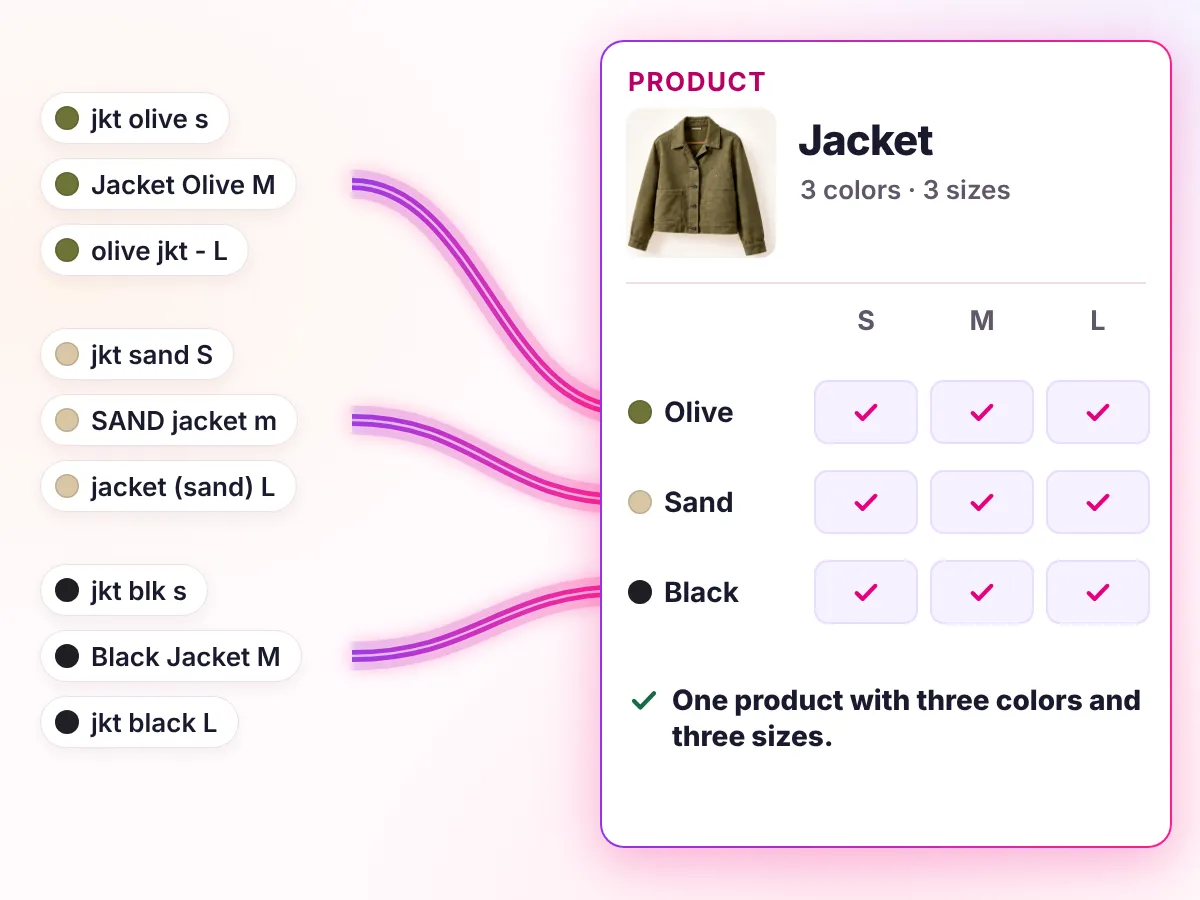
Youzu keeps products, variants and seller offers as separate records. Options within one marketed product, such as size or color, are variants, and when 2 listings cannot be shown to be the same product they stay separate, so products are not merged by guesswork.
Key points
- Group sizes and colors as variants of one product.
- Keep products, variants and seller offers as separate records.
- Keep different products and unproven matches apart.
- Check for missed merges: precision comes first, so some real variants stay ungrouped.
Try it
9 loose listings. Group them into products.
9 loose listings. Group them into products.
- Original information
- Suggested details
- Your listing
Product
Colors and sizes
| Color | S | M | L |
|---|---|---|---|
| Olive | Empty | Empty | Empty |
| Sand | Empty | Empty | Empty |
| Black | Empty | Empty | Empty |
Options within one product are variants. Different products stay separate.
Loose listings
- jkt olive s
- Jacket Olive M
- olive jkt - L
- jkt sand S
- SAND jacket m
- jacket (sand) L
- jkt blk s
- Black Jacket M
- jkt black L
- Parka, olive, M
Decisions
How a decision is made
- Inputs
- Listings with titles, attributes, images and any identifiers you supply.
- Signals
- Options such as size and color within one marketed product; text, images and identifiers for matching.
- Review
- Listings that cannot be shown to be the same product stay separate, and uncertain cases can go to review. Missed merges are expected.
- Output
- Prepared records are available through the API with filters. Delivery to your PIM or storefront is scoped per integration.
- Original record
- Youzu keeps the seller's original record beside the enriched result so changes can be reviewed.
Your rules, your reviewers, your approval.
The example's first state: 10 listings as received and the grouping Youzu suggests. Listings that cannot be shown to be the same product stay separate.
| Listing as received | Suggested grouping |
|---|---|
| jkt olive s | Jacket › Olive › S |
| Jacket Olive M | Jacket › Olive › M |
| olive jkt - L | Jacket › Olive › L |
| jkt sand S | Jacket › Sand › S |
| SAND jacket m | Jacket › Sand › M |
| jacket (sand) L | Jacket › Sand › L |
| jkt blk s | Jacket › Black › S |
| Black Jacket M | Jacket › Black › M |
| jkt black L | Jacket › Black › L |
| Parka, olive, M | Kept separate: a different product |
From supplier data to a finished product page
Recording of the Youzu platform. It shows Catalog Intelligence on an example catalog; names, prices and identifiers are blurred.
Transcript
- From supplier data to a finished product page. (Visual: Under a Catalog Intelligence eyebrow, a source information panel slides in beside a product page and shows the supplier's original name, description and attributes.)
- Start with what the supplier sent. (Visual: The supplier's original name is ringed, with the cue Supplier's original name and an Original information chip.)
- Details follow your category. (Visual: The specifications grid shows separate fields such as product type, size, color and sleeve length, with the cue Attributes by category and a Suggested details chip.)
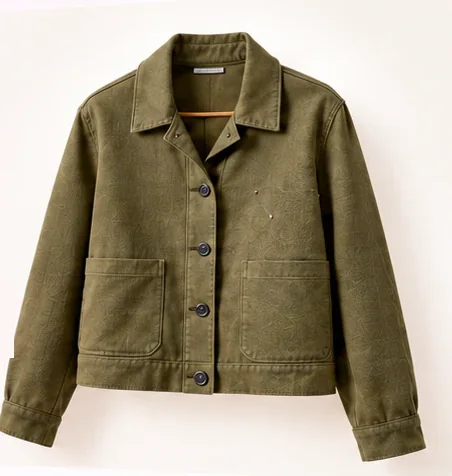
- Variants stay connected to one product. (Visual: Variant chips switch the product photo between 3 colors, with the cue Photo follows the variant and a Your listing chip.)
- Add languages to titles and descriptions. (Visual: The language selector switches a track jacket page from English to Arabic and then German; the title, breadcrumbs and description change.)
- See it with your catalog. Book a demo. (Visual: End card: a white card with a short gradient rule, the line, a Book a demo button and the Youzu logo.)
Documentation
Questions buyers ask
A variant is an option within one marketed product, such as a size or a color. A separate product has its own identity, such as a different model. Youzu keeps products, variants and seller offers as separate records, so each can carry its own details without being copied into the others. The offer matching page covers seller offers.
Youzu's matching is precision-first: when 2 listings cannot be shown to be the same product they stay separate, and uncertain cases can go to review. False merges and missed merges can still occur, so test legitimate variants and near-duplicates on your own sample before you rely on grouping.
Because grouping would be a guess. A listing with a missing size, a different model name or no shared identifier cannot be shown to be the same product, so it stays separate. Under a precision-first rule some real variants stay ungrouped until someone adds the missing detail. The parka listing in the example shows this.
Yes. Youzu works alongside your PIM and ERP, and those systems stay authoritative for their own data. Youzu returns products, variants and offers through the API so you can compare its grouping with the structure you already maintain, and you decide what to carry across. Send a sample of both structures to compare.
Size and color options within one marketed product are variants, which is the common pattern in fashion. The example on this page uses one jacket in 3 colors and 3 sizes. How your catalog represents options is agreed with you, and accuracy is measured on your sample rather than quoted. Book a demo to test your own variants.