
AI product data enrichment from the text and images you already have.
Youzu extracts the attributes your category defines from text and images, and values the evidence does not support are left empty. Numbers and yes/no values stay typed, and enrichment can be reviewed before it is accepted.
Key points
- Fill the attributes your categories define from text and images.
- Keep numbers and yes/no values typed; leave unsupported fields empty.
- Fill titles and descriptions in 1 to 5 languages per catalog.
- Review each suggestion beside the seller's original record before accepting it.
Try it
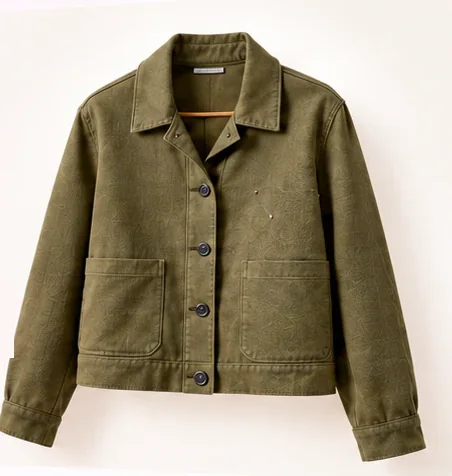
Review each suggested change.
Accept or revert each change. The seller's original stays beside it.
- Original information
- Suggested details
- Your listing
| Field | Seller's original | Suggested | Change |
|---|---|---|---|
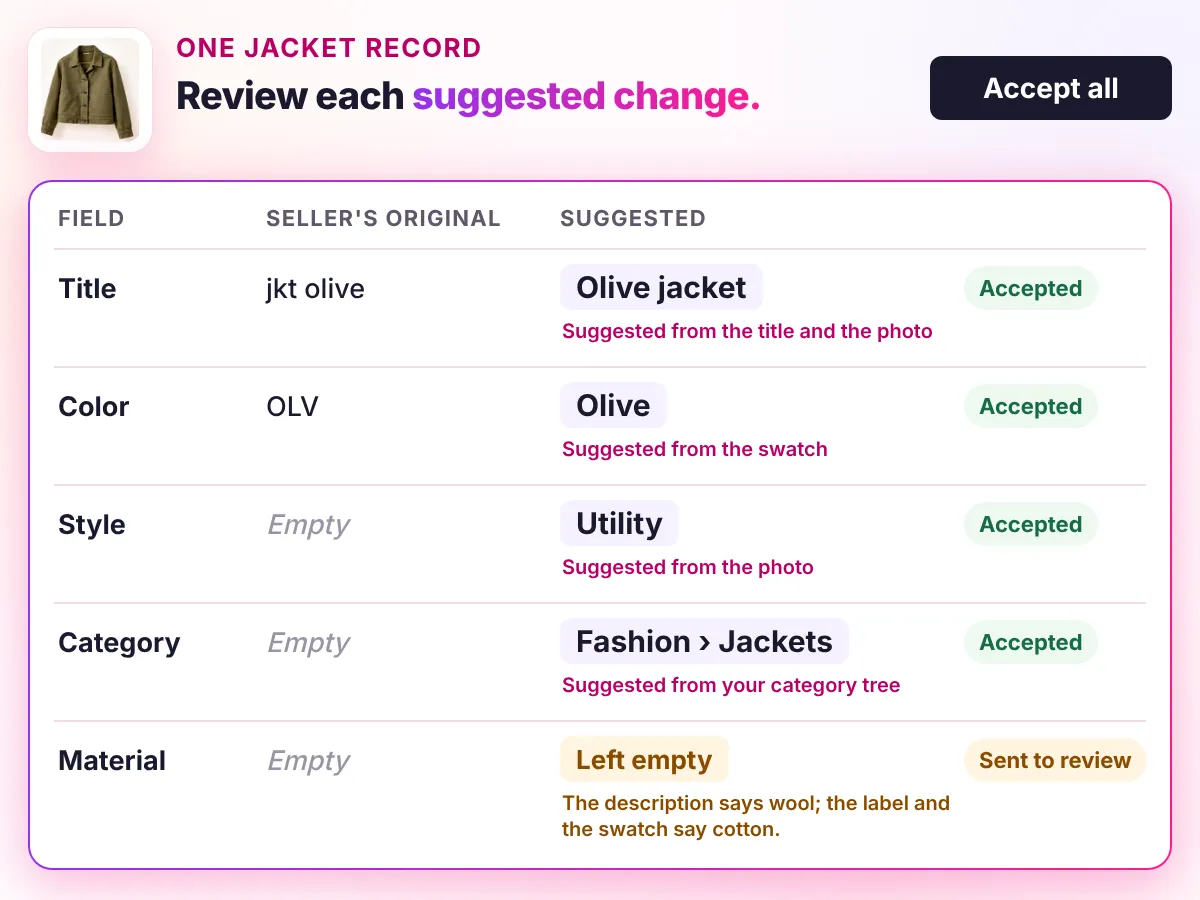
| TitleSuggested | jkt olive | Olive jacket Suggested from the title and the photo | Changed |
| ColorSuggested | OLV | Olive Suggested from the swatch | Changed |
| StyleSuggested | Empty | Utility Suggested from the photo | Added |
| CategorySuggested | Empty | Fashion › Jackets Suggested from your category tree | Added |
| MaterialSent to review | Empty | Empty Left empty and sent to review: the description says wool, the label and the swatch say cotton. | Unchanged |
Youzu keeps the seller's original record beside the enriched result so changes can be reviewed.
Read as text
Try it
Pick a dot, guess, then see the evidence.
Pick a dot, guess, then see the evidence.
- Original information
- Suggested details
- Collar
- Closure
- Pockets
- Lining
Decisions
How a decision is made
- Inputs
- Titles, descriptions, supplier columns and product photos, plus your category and attribute definitions.
- Signals
- Text and image evidence for each attribute. A value the evidence supports is suggested; a value it does not support is left empty.
- Review
- Reviewers can approve or reject enrichment before it is accepted. Facts the evidence does not support stay empty and are flagged for review.
- Output
- Prepared records are available through the API with filters. Delivery to your PIM or storefront is scoped per integration.
- Original record
- Youzu keeps the seller's original record beside the enriched result so changes can be reviewed.
Your rules, your reviewers, your approval.
From supplier data to a finished product page
Recording of the Youzu platform. It shows Catalog Intelligence on an example catalog; names, prices and identifiers are blurred.
Transcript
- From supplier data to a finished product page. (Visual: Under a Catalog Intelligence eyebrow, a source information panel slides in beside a product page and shows the supplier's original name, description and attributes.)
- Start with what the supplier sent. (Visual: The supplier's original name is ringed, with the cue Supplier's original name and an Original information chip.)
- Details follow your category. (Visual: The specifications grid shows separate fields such as product type, size, color and sleeve length, with the cue Attributes by category and a Suggested details chip.)
- Variants stay connected to one product. (Visual: Variant chips switch the product photo between 3 colors, with the cue Photo follows the variant and a Your listing chip.)
- Add languages to titles and descriptions. (Visual: The language selector switches a track jacket page from English to Arabic and then German; the title, breadcrumbs and description change.)
- See it with your catalog. Book a demo. (Visual: End card: a white card with a short gradient rule, the line, a Book a demo button and the Youzu logo.)
Documentation
Questions buyers ask
Product data enrichment adds the attributes, titles and descriptions a product record is missing. In Youzu it works from the text and images you already have and from the category and attribute definitions you provide. Anything the evidence does not support stays empty, so gaps are visible and go to review instead of being guessed. Try the example above to see one record change.
Youzu fills the attributes your category defines, such as color or material for apparel, from titles, descriptions and photos. Numbers and yes/no values stay typed. Which attributes appear depends on the category and attribute definitions you provide, not on a fixed list. Send your category tree and a sample of products, and Youzu shows what it fills and what it leaves empty.
Yes. Reviewers can approve or reject enrichment before it is accepted, and Youzu keeps the seller's original record beside the enriched result so changes can be reviewed. How review is set up for your catalog is agreed with you, so bring the approval rules your team already uses. The review and governance page describes the review queue.
Yes. Youzu can generate and localize titles and descriptions. A catalog supports 1 to 5 of 24 language codes, and English is required when AI processing is on. Language quality can differ, so check each language you need on your own sample before you rely on it. Name your languages when you book a demo.
Any model can be wrong, so Youzu is built to leave a field empty rather than guess. Attributes follow your category schema, numbers and yes/no values stay typed, and when the text or images do not support a value, the field stays empty and goes to review. Your reviewers approve what is applied.
Send a representative sample and your category tree, then compare Youzu's output with your own labels. Results are measured on your data, with critical errors reported separately, not quoted as a general figure. Book a demo to scope the sample and agree what counts as accepted before any output is judged. The benchmark page explains the method.