

Velvet 3-seater, navy
ExactSofa · Velvet · Navy · 3 seats
Discover
Youzu Lens lets shoppers search your catalog with an upload, an image URL or an object detected in a photo; matches can be exact, similar or broad. It is visual search for e-commerce that works from your catalog's own product images, so products need images.
Key points
You choose how strict a photo search is: exact, similar or broad. Results carry no score.
Try it
Choose a sample, select the item that matters and search.
Image URL
https://example.com/navy-sofa.jpg
Open a sample: Pick an object in a photo · Upload a photo · Paste an image URL
4 results from the example catalog
Sofa · Velvet · Navy · 3 seats

Sofa · Linen · Cream · 3 seats

Sofa · Cream · 3 seats
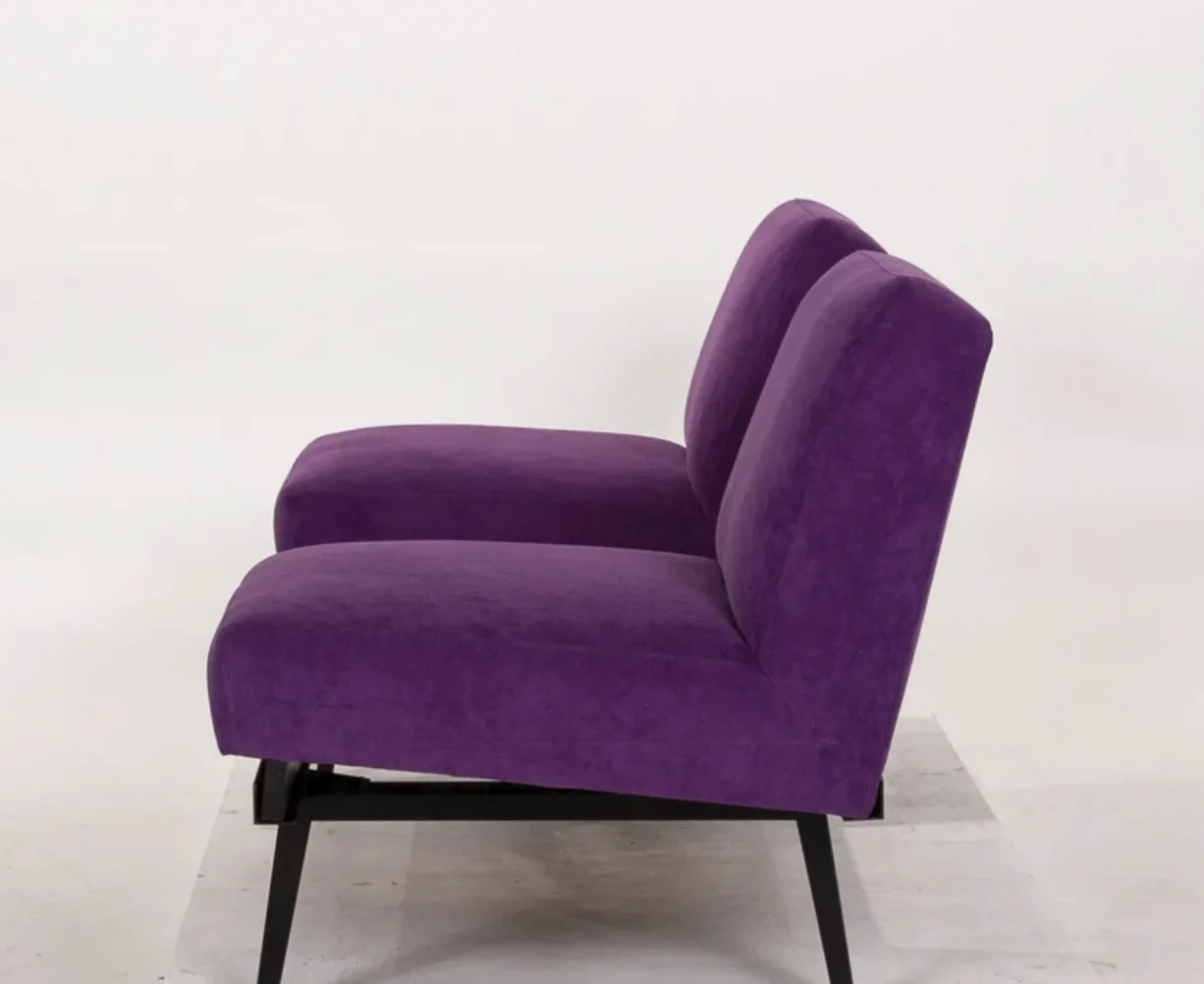
Sofa · Velvet · Plum · 2 seats
Decisions
| Query | Result | Match label |
|---|---|---|
| Photo of a room, sofa selected | Linen 3-seater | Similar |
| Cream 3-seater | Similar | |
| Velvet 3-seater, navy | Broad | |
| Velvet loveseat, plum | Broad |
Try it
Choose an object in the photo, predict how close the catalog's top match is, then see the catalog re-order.

Objects in the photo: 1 Bench, 2 Pendant lamp, 3 Basket.


See it in the product
Pick an object in a picture, and Youzu Lens returns the matching products from your catalog.
Youzu Lens is visual search for e-commerce. A shopper searches your catalog with a photo, an image URL or an object detected in a photo, and the matches can be exact, similar or broad. It works from your catalog's own product images, so products need images. Try the example above with the sofa photo.
An uploaded photo, an image URL, or an object detected in a photo. When a photo holds several items, the shopper selects the one that matters and the results follow that selection. Search starts from an image upload or an image URL. Read the Lens documentation for the exact inputs.
No. Lens returns candidates from your catalog, each with a match label of exact, similar or broad. An exact match needs the same product to be in your assortment with usable images; otherwise the best results are similar or broad matches, and your interface should say which is which. Test your own assortment in a demo.
No. Text search stays in your existing search, and Lens adds a photo route beside it. You decide where the camera or upload entry appears and which product page each result opens. Youzu also adds cleaner product data where your attributes are thin. The Discover page explains where the placements fit.
Youzu does not publish a search time. Latency depends on your catalog, images and integration, so Youzu measures it on your catalog during the evaluation. The film and the example on this page show how matches are presented; they are not a performance measurement. Ask for the measurement on your own data.
Supported categories are scoped with you, and Youzu does not claim Lens works for every category. Results depend on the quality and coverage of your product images. Bring a sample of your assortment, including cluttered scenes and items you do not stock, and review the results together in a demo.